
Using the Member Portal
The Member Portal can be used to make changes to your membership as below. Although you will see options for bookings in the portal all classes will continue to be booked via Technogym and will not be displayed here.
Create an account
If you have not yet created a member account please use the create account button below and enter the email address we have registered for you. You will then receive an email to create your password.
Create AccountOnce this is complete or if you already have an account with us you can then use the login button below
Login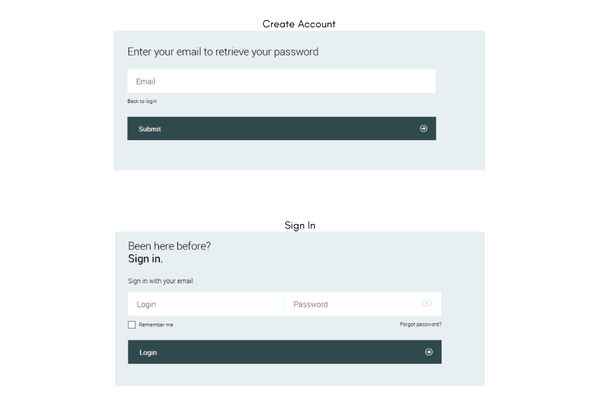
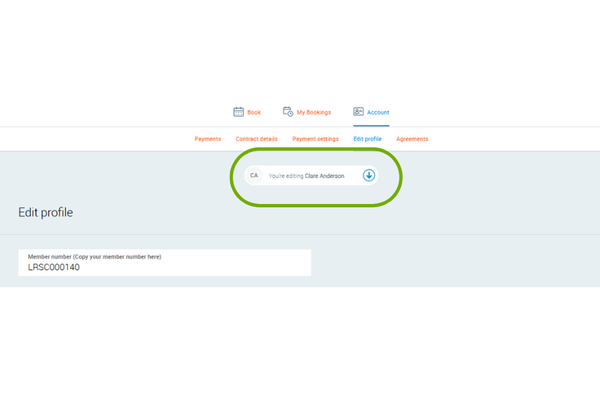
Joint Memberships
If you have a joint or family membership you can switch between profiles when on the Edit Profile, Contract Details or Payments Settings screens.
Important Note: If you wish to freeze, cancel or amend the payment source you must do this for each person that you wish it to apply to as all members are charged individually for their portion of the membership
Edit Profile
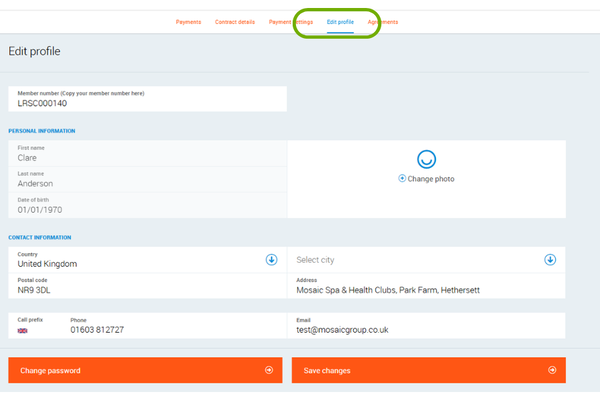
In this section you can upload a new profile image and update your address, phone number or email address.
Please note that your email address should be the same as the one used in your Technogym account.
Should you wish to update your password you can do this via the change password button.
Ensure you save changes before leaving the page.
Freeze/Cancel your Membership
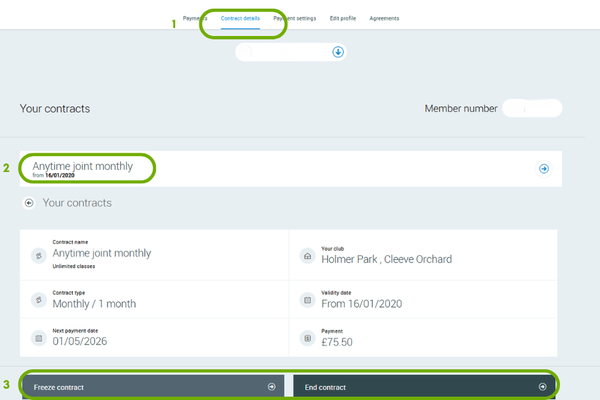
1. Go to Contract Details
2. Click on your contract
3. Choose Freeze or End Contract
If you wish to freeze or cancel other members of your joint or family membership please ensure you switch profiles and complete for all.
If you are on an annual membership you will not have an option to end your contract, if you do not wish to renew please contact us.
If your membership is in arrears you will not have the option available to freeze.
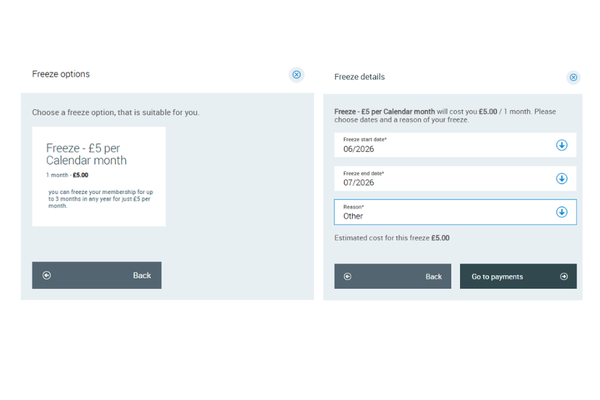
Freeze
You can freeze your membership for up to 3 calendar months in any year at a rate of £5 per month per person.
Select the freeze, choose the month you wish it to start (you must tell us before 20th of the month if you wish a freeze to begin for the next month), the month you wish to return and a reason.
You will be taken next to the Payments screen - if you pay by Direct Debit you do not need to do anything, we will collect the reduce payment. However if you are an annual payer please make the freeze payment now.
Cancel
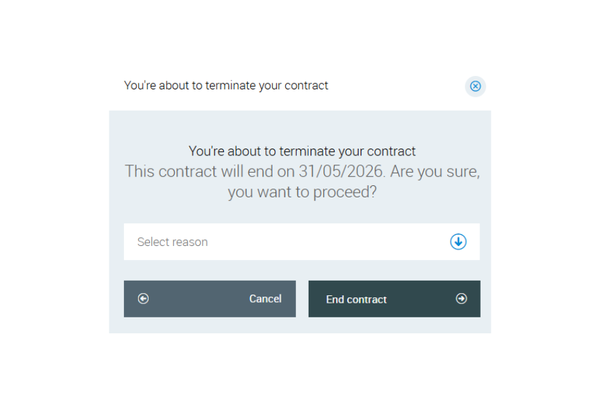
If you wish to cancel your membership please select the reason for this and click End Contract.
Under our terms of membership we require one calendar months notice to cancel your membership and so this will terminate at the end of the following month. Your payments will continue as normal and you are able to use the Club until this date.
Payments
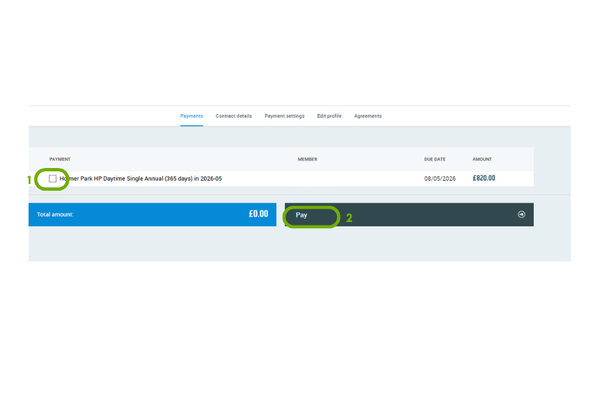
If your annual renewal is due or you have an outstanding balance please go to the Payments screen.
1. Select the instalment you wish to pay
2. Click Pay to go to our secure payment provider and complete the steps on the screen
If the monthly Direct Debit process has already begun this will be displayed at the top of this screen, please do not make any payments during this time as that could result in an overpayment. Should this happen we will reduce your future payments to correct the issue.
Add/change your Direct Debit
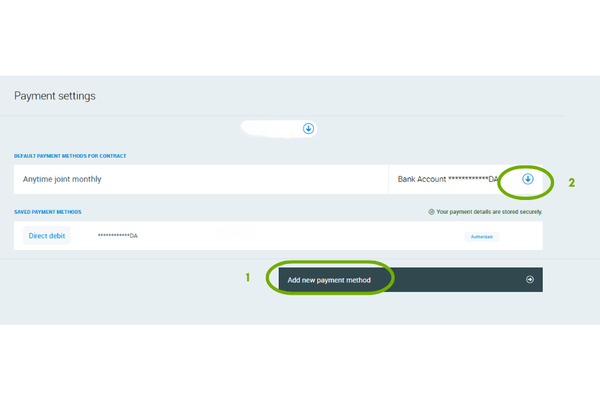
If you wish to change the bank account your payments come from or we have asked you to complete a new direct debit please go tot the Payment Settings screen.
1. Click add new payment method and complete the on screen information.
2. Assign this new payment method to your contract. If you also pay for other members of your family please switch profile and complete step 2 again.
If you have cancelled your direct debit and wish to set this up again from the same account please contact us to remove the existing instruction.